How to Use QR Codes in Email Marketing Campaigns
When and how to use QR codes in email marketing. Covers use cases, technical considerations, and best practices.
Wait, QR Codes in Email? That Seems Redundant.
Let us address the obvious question first. Email is a digital channel. QR codes are designed to bridge physical and digital spaces. Why would you put a QR code in something that is already digital?
It is a fair question, and the answer is that QR codes in email serve different purposes than QR codes on physical materials. They are not about replacing hyperlinks. They are about enabling cross-device actions, creating shareable assets, bridging email to mobile apps, and generating printable content that extends the life of your email beyond the inbox.
This guide covers the specific scenarios where QR codes genuinely add value to email marketing, the technical considerations for making them work across email clients, and the mistakes that waste your time and your subscribers' patience.
We will be honest about when QR codes in email are useful and when they are not. Not every email needs a QR code, and adding one without a clear purpose dilutes your message.
When QR Codes Add Real Value to Email
1. Cross-Device Conversion
Your subscriber opens your email on a desktop computer at work. Your offer requires a mobile action: downloading an app, using a mobile wallet coupon, checking in at a location, or completing a purchase that is easier on a phone.
A hyperlink in the email opens in the desktop browser. A QR code displayed in the email lets the subscriber pull out their phone, scan the screen, and land directly on the mobile experience. This is one of the most legitimate and effective uses of QR codes in email.
Example use cases:
- App download promotions (code links to app store)
- Mobile wallet coupons or loyalty cards (code links to wallet pass)
- Event check-in codes (subscriber scans at the door from their phone)
- Mobile-first experiences (AR features, mobile games, camera-based tools)
2. Printable Coupons and Passes
Some subscribers prefer to print emails. A QR code in the email serves as a scannable coupon or admission pass when printed. The subscriber prints the email, brings it to the store or event, and the staff scans the QR code to validate the offer.
This is particularly effective for:
- In-store discount offers
- Event tickets and registration confirmations
- Appointment confirmations
- Boarding passes and check-in documents
The QR code works in both contexts: on screen (scanned by the subscriber's phone) and on paper (scanned by a point-of-sale system or door scanner).
3. Shareable Content
When a subscriber wants to share your offer with someone nearby, a QR code makes it instant. Instead of forwarding the email (which many people do not bother to do), they show their phone screen and the other person scans the code.
This works best for:
- Group offers ("Bring a friend" promotions)
- Event invitations where the subscriber is recruiting attendees
- Referral programs where the code tracks the referrer
4. Bridging to Offline Actions
If your email campaign promotes something that happens in the physical world, a QR code can serve as the bridge. An email promoting a restaurant's new menu includes a QR code that, when scanned at the table, pulls up the subscriber's loyalty discount. An email about a museum exhibit includes a QR code that serves as the digital ticket.
5. VIP and Personalized Experiences
Dynamic QR codes can be personalized per subscriber. Each recipient gets a unique code that, when scanned, triggers a personalized experience: their loyalty points balance, their reserved appointment details, their customized product recommendations.
This requires integration between your email platform and your QR code generator, but the result is a high-touch experience that feels premium.
When QR Codes Do Not Belong in Email
Replacing Standard Links
If the subscriber is reading the email on a phone and the action can be completed in a mobile browser, a hyperlink is always better than a QR code. Asking someone to scan a QR code that is on the very screen they are looking at is nonsensical. They would need a second phone. Use buttons and text links for standard click-through actions.
Every Email
QR codes lose their impact through overuse. If every email has a QR code, subscribers stop noticing them. Reserve QR codes for emails where they serve a specific, non-link purpose.
Complex Information
QR codes that encode vCards, WiFi credentials, or long text are better suited for physical applications. In email, this information can be presented directly as copyable text, clickable links, or tappable buttons that function better than a QR code.
Technical Implementation
Image Format and Size
QR codes in email are embedded as images (PNG, JPEG, or GIF). SVG is not widely supported across email clients, so avoid it.
Recommended specifications:
- Format: PNG (best quality-to-size ratio for QR codes)
- Resolution: 300x300 pixels minimum for on-screen scanning, 600x600 for reliable printing
- File size: Keep under 100KB for fast loading
- Color: Black modules on white background for maximum compatibility
Email Client Compatibility
Most modern email clients display inline images, but some subscribers have image loading disabled by default. This means your QR code might not appear until the subscriber clicks "Show images."
Mitigation strategies:
- Include alt text on the QR code image:
alt="QR code - scan with your phone camera to [action]" - Provide a text link below the QR code as a fallback: "Can't scan? Click here instead."
- Do not make the QR code the only way to take action. Always include a standard hyperlink or button as the primary CTA.
Dark Mode Considerations
Many email clients now support dark mode, which can invert or alter image backgrounds. A QR code with a transparent background may become unreadable when the email client applies a dark background.
Solution: Always use a QR code image with an opaque white background and adequate padding. Do not rely on the email's background color to provide the quiet zone. Build the white quiet zone into the image itself.
Responsive Design
On mobile screens, the QR code image may be scaled down to fit the viewport. If the code becomes too small, it will not scan (or, more accurately, it will not be scannable from a second device if the purpose is cross-device scanning).
Set a minimum width using CSS or your email builder's image sizing controls. A QR code should display at no less than 150 pixels wide on screen. Use min-width styles where supported, and set the image width to a fixed value in your email template.
Dynamic QR Code Considerations
If you use dynamic QR codes (which redirect through a short URL), the redirect service must be fast and reliable. A slow redirect adds seconds to the scanning experience, and email recipients are not patient.
With SmartyTags, dynamic QR codes redirect near-instantaneously and include scan tracking, so you can measure engagement even within your email campaigns.
Designing the QR Code Email Section
The QR code should not dominate the email. It is a supporting element, not the star. Here is how to design the section:
Layout
Create a dedicated section for the QR code, visually separated from the main email content. A light background block (light gray or your brand's secondary color) helps the QR code section stand out without competing with the primary CTA button.
Structure:
- Brief instruction text: "Scan with your phone to [action]"
- QR code image, centered, with adequate white space
- Fallback text link: "Or tap here if you're on mobile"
Sizing
In a standard 600px-wide email template, the QR code image should be between 150px and 250px wide. This is large enough to scan from a computer screen (held about 12-18 inches from the monitor) without dominating the layout.
Call to Action
Apply the same CTA principles that work for physical QR codes. State the benefit clearly and specifically. "Scan to add this event to your calendar" is better than "Scan this code." Our call to action guide covers the full methodology.
Fallback Link
Always, always include a tappable link or button as an alternative to the QR code. Many subscribers will open your email on a phone, where scanning a QR code on their own screen is not possible. The fallback link ensures everyone can take action regardless of device.
Tracking QR Code Performance in Email
Email Platform Metrics
Your email platform (Mailchimp, Klaviyo, HubSpot, etc.) tracks opens and clicks. But it cannot track QR code scans because scanning does not generate a click event within the email. The scan happens outside the email client entirely.
QR Code Platform Metrics
Your QR code platform tracks scans. If you use SmartyTags, you see scan counts, timestamps, and devices. This tells you how many subscribers used the QR code.
UTM Parameters for Full Attribution
Tag the QR code destination URL with UTM parameters to connect scans to your website analytics.
Example:
https://yoursite.com/promo?utm_source=email&utm_medium=qr&utm_campaign=fall_promo_2025&utm_content=hero_qr
This lets you see in Google Analytics exactly how many sessions and conversions came from QR code scans in the email, as opposed to direct link clicks.
Comparing QR Scans to Link Clicks
With both tracking methods in place, you can compare:
- How many people clicked the standard link in the email
- How many people scanned the QR code
This tells you what percentage of your audience prefers the cross-device or print experience. If QR scans are consistently low, your audience may not need them, and you can reclaim that email real estate for other content.
If QR scans are significant, you have evidence to include them in more campaigns. Consider running A/B tests to optimize the QR code section of your emails.
Use Case Deep Dives
Event Promotion Email
A nonprofit sends an email inviting supporters to an annual gala. The email includes:
- Event details and RSVP button (standard link, primary CTA)
- QR code section: "Scan to add this event to your Apple Wallet" linking to a wallet pass
- Fallback: "Tap here to add to your calendar" linking to an .ics file
The QR code serves a specific mobile-native function (Wallet pass) that cannot be replicated with a simple link click from a desktop email client. This is a valid QR code use case.
Retail Promotion Email
An e-commerce brand sends a seasonal sale email. The email includes:
- "Shop the Sale" button (standard link, primary CTA)
- QR code section: "Show this code in-store for an extra 10% off" with a unique per-subscriber QR code
- Fallback: "Present this email at checkout for your discount"
The QR code bridges the email channel to the physical store experience. The in-store team scans the code from the subscriber's phone (or printed email) and applies the discount. This is a use case where the QR code enables something a hyperlink cannot.
SaaS Onboarding Email
A software company sends a welcome email to new users. The email includes:
- "Log In to Your Dashboard" button (standard link, primary CTA)
- QR code section: "Scan to download our mobile app" linking to the app store
- Fallback: "Download on the App Store | Get it on Google Play" with direct links
The QR code facilitates cross-device action (subscriber reads email on desktop, downloads app on phone). The fallback links serve mobile email readers who can tap directly.
Loyalty Program Email
A coffee chain sends a monthly rewards summary. The email includes:
- Points balance and reward details (text content)
- QR code section: "Scan at the register to redeem your free drink" with a dynamic, personalized QR code
- Fallback: "Show this email to your barista"
The QR code is the redemption mechanism. It encodes the subscriber's loyalty account information and triggers the reward when scanned by the store's POS system.
Best Practices Summary
-
Only include a QR code when it serves a purpose that a hyperlink cannot. Cross-device actions, printable passes, in-store redemptions, and shareable offers are valid. Duplicating a link is not.
-
Always provide a fallback link. Not everyone can scan, and mobile readers definitely cannot scan their own screen.
-
Use opaque white backgrounds on the QR code image to survive dark mode.
-
Keep the QR code section compact. It should be a supporting element, not the primary CTA.
-
Track with UTM parameters so you can measure the channel's contribution.
-
Test before sending. Send yourself a test email, open it on desktop, and scan the QR code from your phone. Then open it on your phone and confirm the fallback link works. Run through the testing checklist adapted for digital display.
-
Personalize when possible. Dynamic, per-subscriber QR codes elevate the experience from generic to personal.
-
Measure and decide. If scan rates are consistently below 1% of your open rate, the QR code is not adding value for your audience. Reallocate that space.
Getting Started
Start with your highest-impact email campaign, the one where a cross-device or print-to-physical action is most natural. Create a dynamic QR code through SmartyTags, tag the URL with UTM parameters, embed the code in your email template with a clear CTA and fallback link, and measure the results.
Explore the features that support email marketing integration, including dynamic link editing and scan analytics. Check pricing for plans that fit your sending volume.
QR codes in email are a niche tool, not a universal one. But in the right context, they close gaps that hyperlinks cannot. Know when to use them, execute the technical details correctly, and measure the results. That is the difference between a gimmick and a genuine channel enhancement.
SmartyTags Team
Content Team
The SmartyTags team shares insights on QR code technology, marketing strategies, and best practices to help businesses bridge the physical and digital worlds.
Related Articles

How to Use QR Codes at Trade Shows and Expos
Booth displays, badge scanning, and lead capture with QR codes at events.
QR Codes vs. NFC Tags: Which Is Right for You?
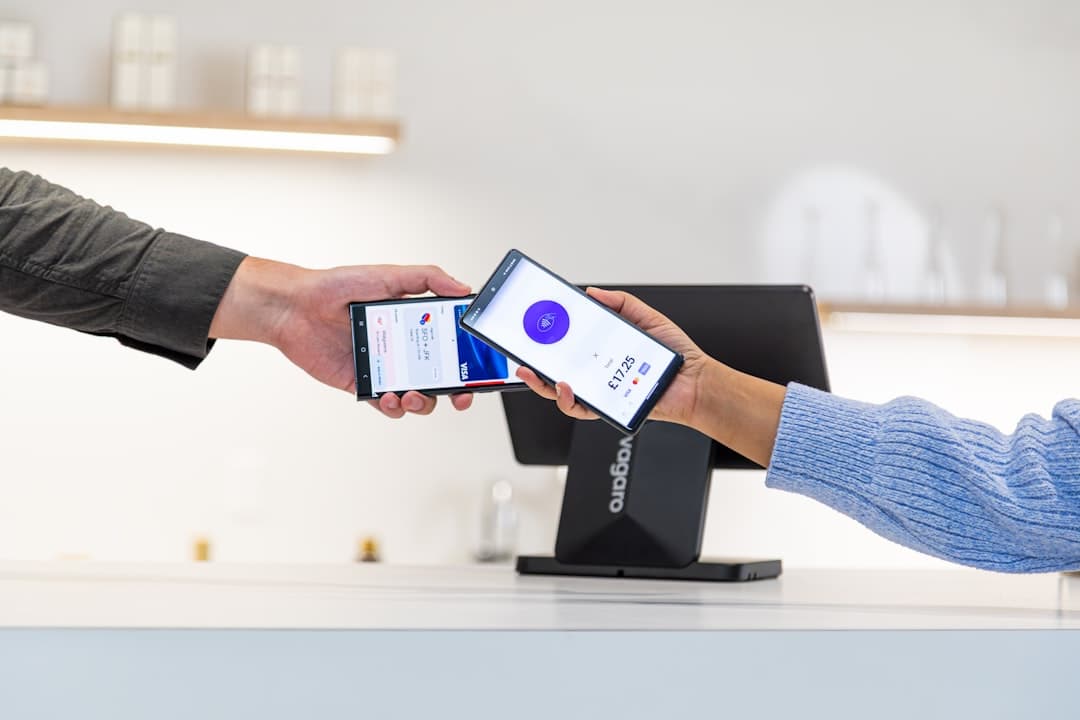
An honest comparison of QR codes and NFC covering cost, range, and use cases.
How to Write a QR Code Call to Action That Works
Proven formulas for QR code calls to action that drive higher scan rates. Covers psychology, examples, and common mistakes.
Stay up to date
Get the latest QR code tips, guides, and product updates delivered to your inbox.
No spam. Unsubscribe at any time.